截图
Screenshot
+ 贴图
+ Pin
免费开源, 无需安装, 高度可定制.
Free and open source, no installation required, highly customizable.
 微软应用商店 2025 年度精选应用
 Microsoft Store Featured App of 2024
单设备授权 (Windows/Mac/Linux) Single Device License (Windows/Mac/Linux)
3台设备授权 (Windows/Mac/Linux) 3 Devices License (Windows/Mac/Linux)
10台设备授权 (Windows 11/10) 10 Devices License (Windows 11/10)
免费下载与安装
Free Download & Installation
下载 Snipaste Download Snipaste 下载 Snipaste 微软商店版 v2.71.3 Download Snipaste Microsoft Store Version v2.71.3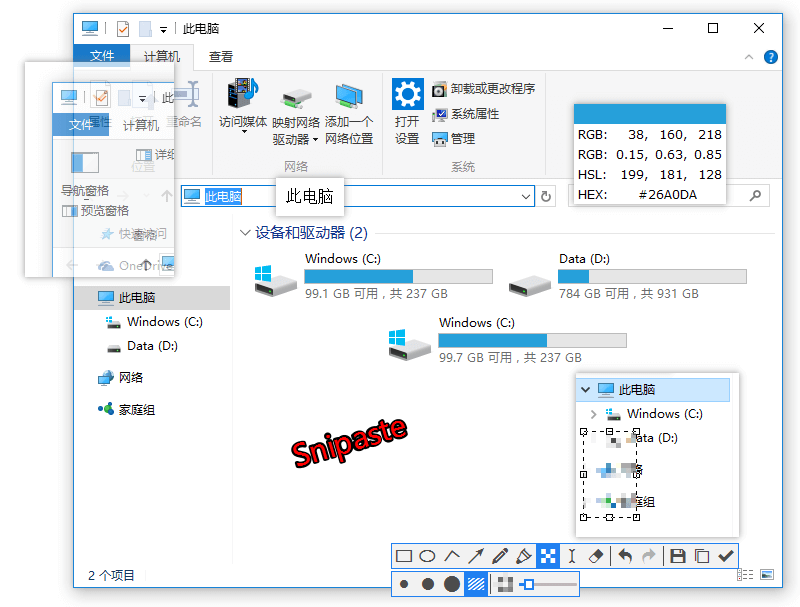
Snipaste:提升您的工作效率与截图体验
Snipaste: Enhance Your Productivity and Screenshot Experience
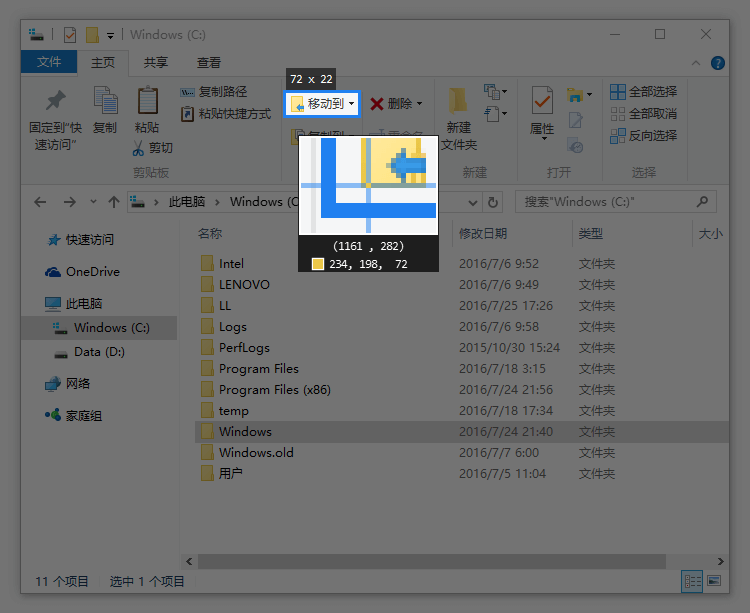
专业级截图功能
Professional-Grade Screenshot Features
- 智能识别界面元素区域
- 像素级精准控制鼠标移动与截图范围
- 便捷取色功能 (快捷键 F1, C, F3)
- 截图历史记录回放功能 (快捷键 /, .)
- 多显示器跨屏截图支持
- 高分屏/4K屏幕适配优化
- Intelligent recognition of UI element regions
- Pixel-level precise control of mouse movement and screenshot area
- Convenient color picker (shortcut keys F1, C, F3)
- Screenshot history playback function (shortcut keys /, .)
- Multi-monitor cross-screen screenshot support
- High-DPI/4K screen adaptation optimization
图片窗口置顶显示功能
Image Window Pinning Display Function
- 支持将剪贴板内容转换为图片格式
- 各类图像文件
- 纯文本内容
- HTML格式文本
- 颜色数值信息
- 主流图像格式: PNG, JPG, BMP, ICO, GIF 等
- 图片窗口多样化操作
- 缩放调节 (鼠标滚轮 或 +/- 快捷键)
- GIF动图播放速度调节 (加速/减速)
- 图像旋转 (快捷键 1/2)
- GIF动图帧控制 (上一帧/下一帧)
- 镜像翻转效果 (快捷键 3/4)
- 透明度调节 (ctrl + 鼠标滚轮 或 ctrl +/-)
- 鼠标穿透模式
- 快速缩略图查看 (shift + 双击)
- 快捷图像标注 (空格键)
- 一键隐藏窗口 (左键双击)
- 快捷取色工具 (Alt键)
- 文件拖拽导入功能
- 贴图分组管理
- 自动备份与数据恢复
- Support converting clipboard content to image format:
- Various image files
- Plain text content
- HTML format text
- Color value information
- Mainstream image formats: PNG, JPG, BMP, ICO, GIF, etc.
- Diversified operations for image windows:
- Scale adjustment (mouse wheel or +/- shortcut keys)
- GIF playback speed adjustment (speed up/slow down)
- Image rotation (shortcut keys 1/2)
- GIF frame control (previous/next frame)
- Mirror flip effect (shortcut keys 3/4)
- Transparency adjustment (ctrl + mouse wheel or ctrl +/-)
- Mouse through mode
- Quick thumbnail view (shift + double click)
- Quick image annotation (space bar)
- One-click hide window (left double click)
- Quick color picker (Alt key)
- File drag and drop import function
- Pin image grouping management
- Auto backup and data recovery
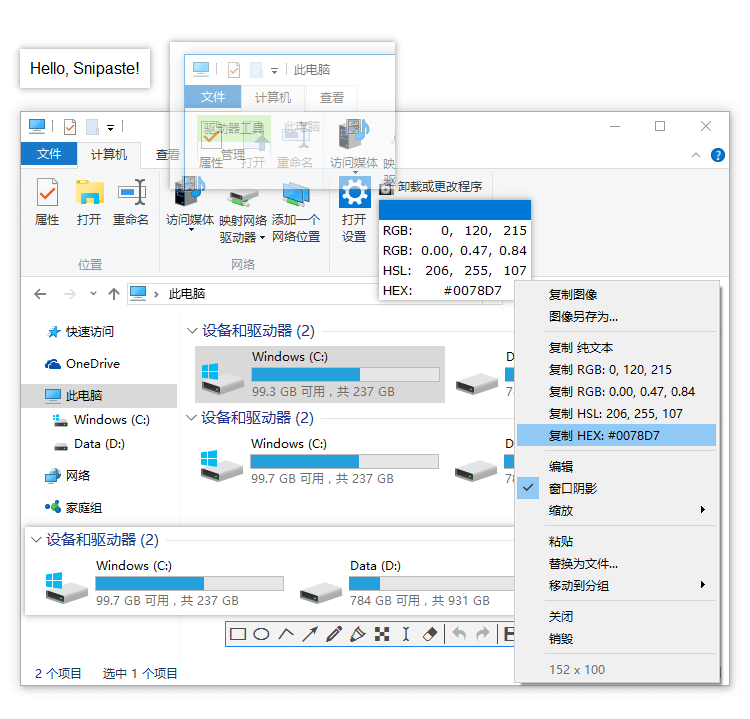
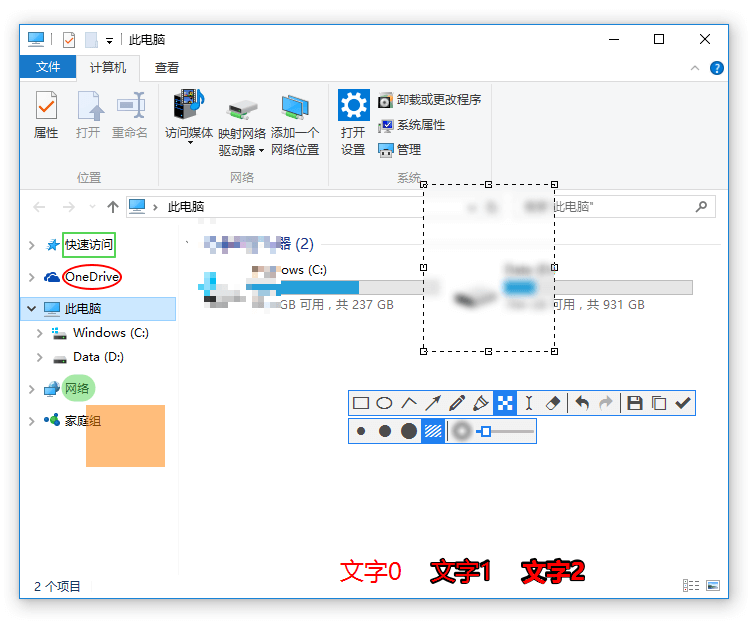
便捷的图像标注工具
Convenient Image Annotation Tools
- 多样化绘图工具集
- 矩形框选工具
- 椭圆形标注工具
- 直线标注工具
- 箭头指示工具
- 自由铅笔工具
- 高亮马克笔工具
- 文字添加工具
- 高级图像处理工具
- 马赛克模糊处理
- 高斯模糊效果
- 橡皮擦修正工具
- 操作撤销/重做功能
- Diversified drawing tool set:
- Rectangle selection tool
- Ellipse annotation tool
- Line annotation tool
- Arrow indication tool
- Free pencil tool
- Highlight marker tool
- Text addition tool
- Advanced image processing tools:
- Mosaic blur processing
- Gaussian blur effect
- Eraser correction tool
- Operation undo/redo function
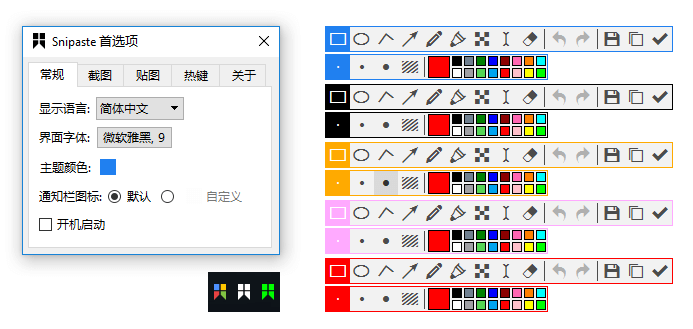
个性化自定义设置
Personalized Customization Settings
- 界面自定义:主题色、字体样式、通知栏图标等
- 全功能快捷键自定义配置
- 丰富的功能性参数设置选项
- 欢迎提出更多个性化功能需求
- Interface customization: theme color, font style, notification icon, etc.
- Full-featured shortcut key custom configuration
- Rich functional parameter setting options
- We welcome more personalized feature requests
技术支持与服务
Technical Support and Services
如果您在使用过程中遇到任何问题,可参考:基础使用教程 | 常见故障排查
If you encounter any problems during use, please refer to: Basic Usage Tutorial | Common Troubleshooting
若发现软件BUG或有新功能建议,建议通过提交 issue 的方式反馈,便于我们跟踪处理和问题解决。
If you find software bugs or have new feature suggestions, we recommend submitting feedback via issue to facilitate our tracking and problem resolution.
您也可以加入我们的 Telegram 交流群,社区内的热心用户可以帮助您快速解决使用问题。
You can also join our Telegram communication group, where enthusiastic users in the community can help you quickly solve usage problems.
想要及时获取 Snipaste 的最新更新动态,可订阅我们的 Telegram 官方频道,或关注我们的 微博 / Twitter 账号。
To get the latest update information of Snipaste in a timely manner, you can subscribe to our official Telegram channel, or follow our Weibo / Twitter accounts.
End User License Agreement | Privacy Protection Policy
开发者联系方式:snipaste.app@gmail.com
Developer contact: snipaste.app@gmail.com